
Spelling#
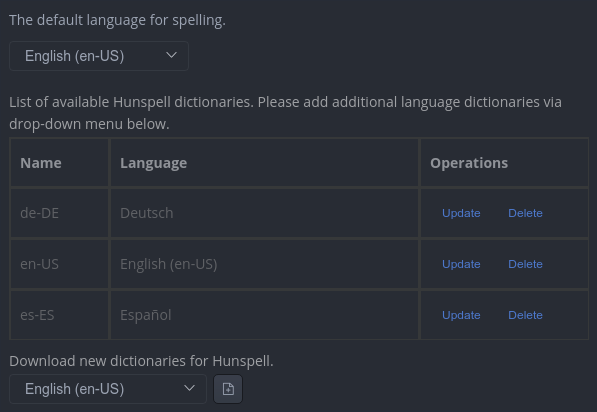
Inkiva can check spelling as you type and offer corrections from the active dictionary. Spell checking is disabled by default. Enable it in Preferences → Spelling, then choose the default language.
Features#
When spell checking is enabled, misspelled words are underlined and the editor's context menu can offer corrections. Use Change Language from the spelling commands to change the language for the current session. spellcheckerLanguage stores the default BCP-47 language tag, such as en-US, de-DE, or zh-CN.
If you prefer a clean writing surface, enable Don't underline misspelled words. Spell checking remains available, but the editor does not draw underlines for detected errors.
Manage dictionaries#
Dictionary availability depends on the spell-checking provider and operating system. On macOS and Windows, install additional system language dictionaries through the operating system's language settings. If a Hunspell dictionary provider is available in the spelling preferences, use its language list to download and activate additional dictionaries; an internet connection may be required.
Right-click a misspelled word to ignore it or add it to the active dictionary when the provider exposes that action.