
User documentation
User Documentation#
Welcome to the end-user documentation of Inkiva, a document-first Markdown editor for Windows x64 and macOS Intel/Apple Silicon.
Inkiva works with ordinary CommonMark/GFM files and folders. Navigation, backlinks, local history, and recovery are assistance around the document — not a separate workspace format.
The current desktop interface keeps the document at the center: a compact titlebar, optional navigation sidebar, tabs, and a focused writing surface. The screenshots in this guide are from the current Inkiva desktop application; labels can vary with the selected language and operating system.
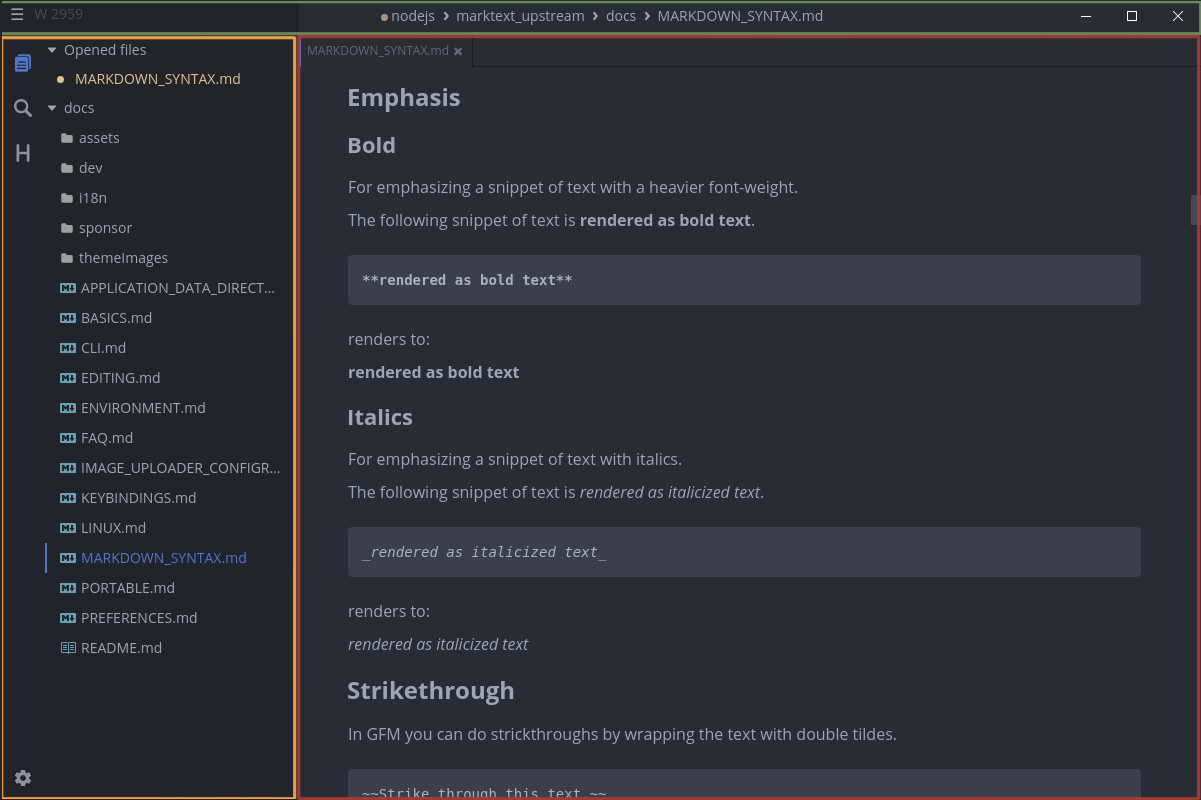
Quick start:
Further documents:
- Frequently asked questions (FAQ)
- Application data directory
- Command line interface
- Environment variables
- Export a document
- Image handling
- Image uploader configuration
- Installation instructions
- Key bindings
- Portable mode
- Preferences
- Appearances
- Themes for exporting
Interested in developer documentation? Please see here.